
Live
SmartBoard view
Drag, resize, reorder or hide any column — the board fits your dispatching flow.
Review relevant opportunities in the workflow you already use — then act with more context and fewer dead-end clicks.
14-day trial, no card. Then from $7.99/month per dispatcher for teams.
Works on
4.6
Rated on Google, Trustpilot and G2
7k+ dispatchers run the extension
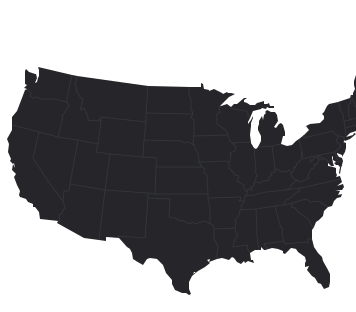
Choose a lane. See what LoadHunter brings forward and why. The data behind it is synthetic, so nothing here is a claim about your market.
Dallas, TX → Chicago, IL$2,350
967 mi · DH-O 42 · Van · 10/05$2.43/mi
Brindlemoor Logistics
RTS Financial grade ADallas, TX → Memphis, TN$1,280
452 mi · DH-O 18 · Van · 10/05$2.83/mi
Tervale Freight
RTS Financial grade BIrving, TX → Nashville, TN$1,590
664 mi · DH-O 31 · Van · 10/05$2.39/mi
Quillon Brokerage
RTS Financial grade ARate
$2,350
$2.43/mi on 967 mi
Spot Rate:
$2,290
Range: $2,050 - $2,480 ($2.12 - $2.56 / mi)
DH-O
42 mi
From your truck in Dallas, TX
Broker
Brindlemoor Logistics
RTS Financial grade ACS: 96 · DTP: 21 · MC: #000000
Pick Up
October 5
Profit
$1,794
RPM+ 2.33 $/mi after diesel and tolls
From:
dispatch@marrowfield.example
To:
dispatch@brindlemoor.example
Template:
Quick rate check
Load from Dallas, TX to Chicago, IL for 10/05
Hello, Brindlemoor Logistics,
Can we please get more info about the 967 mi from Dallas, TX to Chicago, IL and what is the best rate
LH-52190
Best Regards,
Dispatch Team
LoadHunter is designed for the moment a dispatcher is already evaluating freight. It adds a focused decision layer without asking the team to rebuild its routine.
Drag, resize, reorder or hide any column — the board fits your dispatching flow.
Map, profit calculator, market rate and the broker card open right under the row you are reading.
Email or call the broker from the row, with your own templates.
Detect, review, compare, act. Each step carries the state it is really in, so you can see where the extension does the work today and where it hands back to you.
01
Telegram alerts from DAT One and Truckstop, filtered to the lanes you care about.
02
Rate, deadhead, map and broker context on the row you are reading.
03
The profit calculator puts fuel and tolls next to the rate.
04
Email or call the broker in one click, or let auto-emailing reach matching loads.
Six of the tools dispatchers use most. Every one runs inside the board you already use — DAT One, Truckstop or Super Dispatch.
Create rules for rate, RPM, mileage and equipment. Send a broker email with one click, or automate outreach for matching loads.
Instant load alerts from DAT One and Truckstop in Telegram, filtered to what you actually want to see.
Track the route and load details on an interactive map, right inside your load board.
See factoring company ratings to judge a broker’s payment reliability before you call.
Estimate profit with fuel and miles counted, so the rate becomes a number you can decide on.
Read and share experiences with brokers, so the next dispatcher avoids the same problem.
A current screenshot of the product. The environments it supports and a plain account of what it reads. Counts appear only where there is a source to point at.
What it reads
The extension runs only on the sites it supports — your load boards, the factoring provider you connect, Gmail and LoadHunter pages. It reads the page you are viewing there and nothing anywhere else.
Permissions
Every permission is listed in plain English next to the reason it exists.
No card for the trial. Cancel anytime. 10% off on annual billing, and team discounts from three users. Installing the extension is free.
from$8.99/ month, billed yearly
Essential tools to get you moving fast.
from$13.49/ month, billed yearly
For fast-paced teams looking to automate and organize.
Everything in Basic, plus
from$26.99/ month, billed yearly
Full experience: automation, insights, control.
Everything in Standard, plus
Let’s talk
Everything in Pro, with onboarding and account support.
A load you save can carry its context into huntTMS instead of being typed in again. The state of that handoff is stated where it appears, and it is not the reason to install the extension.
LoadHunter
You are here
huntTMS
Saved load becomes a trip
huntDRIVE
ELD and hours
huntPAY
Invoicing and payroll
huntOS
One command layer
The three things people ask before installing. How setup works, what the extension can see, and which boards it runs on — as it behaves today, not as it is planned.
Setup
Add to Chrome from the Chrome Web Store, pin LoadHunter, log in with your email and open your load board. The features appear right away.
Permissions
It reads the page you are viewing on your load boards, the factoring provider you connect, Gmail and LoadHunter pages — and nothing anywhere else.
Supported boards
It reads the row already on your screen rather than pulling a feed of its own, so a board not on that list is not supported.
First run
A Chrome-based desktop browser or Firefox. The supported list is published from the release source, so it moves when the build does rather than when the page is rewritten.
Add LoadHunter from the Chrome Web Store, pin it from the puzzle icon in the toolbar, log in with your email and open your load board. The features appear in the rows you already work in — there is nothing to import.
The boards it runs on today are DAT One, Truckstop and Super Dispatch. It reads the row already on your screen rather than pulling a feed of its own, so a board not on that list is not supported.
Installing it is. Using it past the first 14 days is not: the trial runs 14 days with no card, then plans start from $8.99 a month billed yearly, or $9.99 month to month.
Yes. Cancel from Manage Subscription in your dashboard and the plan stops renewing. The extension keeps working until the end of the period you have already paid for.
Chrome lists them before you install. The site access is broad because the boards and our own services span many domains, but LoadHunter runs only on your load boards, the factoring provider you connect, Gmail and LoadHunter pages — it is not present on any other site and reads nothing there.
The postings already on your screen and the search you entered: origin, destination, dates, equipment, rate, miles and the broker's name, MC/DOT number and contacts. It uses them to sort, rate and enrich those rows, map the route and fill in the outreach you start.
Yes, from the Standard plan: your provider's credit and payment ratings for each broker appear right on the board. Supported are Triumph, RTS Financial, Wex, JD Factors, Compass, Capital Depot, Great Plains, Pro Funding, Partners Funding Inc and Love's Financial. The sign-in stays in your browser, is used only for those checks and is cleared when you sign out.
Yes. One click fills the load into your template and sends it from your own mailbox — Gmail or Outlook, connected through their own sign-in. From Standard, texts go out through your RingCentral account, and auto-emailing writes to brokers for you when a load matches the rules you set.
Only the conversations it manages. With Gmail connected it reads the broker replies in those threads and sends from your mailbox; it never reads the rest of your inbox and never labels, archives or deletes mail. Replies are processed through the OpenAI API, which does not train on them, and disconnecting the mailbox revokes our access.
Yes, from the Standard plan. Loads that match your search arrive in Telegram with origin, destination, rate, miles and RPM; the broker, MC, phone, email and a map link are one tap away.
Never sold, and never shared with advertisers or data brokers. It goes only to the services that run the features you use — the load board you are signed into, the factoring provider you connect, Stripe for billing — each for the purpose named in the privacy policy.
Yes. Every plan includes team management for several dispatchers under one account; annual billing is 10% off and team discounts start at three users. Enterprise adds onboarding and account support, on terms agreed in conversation.
No. LoadHunter is the load-discovery decision layer; huntTMS is the operational workflow product.
Email support@loadhunter.io or message us on social media. The Support page has answers to common setup questions and a form that reaches the team.
14-day trial · no card
Add it to Chrome and review your next load with more context — inside the board you already use.
Talk to the team
Book a demo and we will walk through your lanes, boards and team setup.